House cleaning schedule: Smart Technology

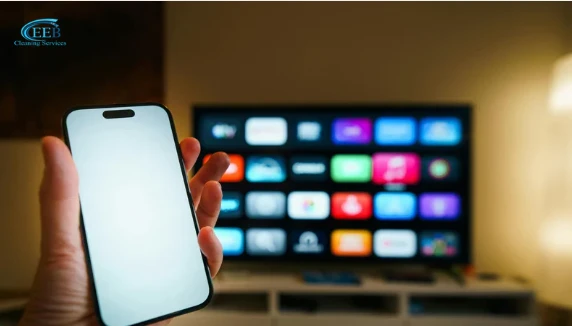
How to Create a Cleaning Schedule with Smart Technology (Automate Your Home Care Routine).
Think about how much mental energy gets drained every week just deciding when to fit in routine household chores.
You find yourself constantly checking the floors for dust, remembering when to sweep the hallway, or realizing midway through a busy workday that the living room rug needs attention. Managing household maintenance manually often feels like an endless loop of small, repetitive tasks that pull focus away from your actual career, family, and personal projects.
We often assume that staying organized requires rigid wall charts, calendar reminders, or hours of weekend manual labor.
The real advantage of smart home technology is setting up proactive routines that run seamlessly in the background. By programming your devices around your natural daily lifestyle, you can build an automated schedule that keeps your home baseline fresh without ever managing a manual checklist.
Key Takeaways
-
Zone-based scheduling: Map specific rooms to different times of the day based on actual foot traffic.
-
Geofencing automation: Program smart devices to trigger cleaning routines automatically the moment you leave the house.
-
Ecosystem integration: Sync devices using Google Home, Apple Home, or Amazon Alexa to coordinate multi-room routines hands-free.
-
Conserves focus: Shifting floor maintenance to background automation protects your daily time and mental bandwidth.
Step-by-Step: Building Your Smart Cleaning Schedule
Setting up an automated routine takes just a few minutes in your smart home companion app:
1.Map and Zone Your Layout:10-15 min.
Run an initial mapping pass with your robot vacuum or mop to create an accurate floor plan. Label each room (e.g., Kitchen, Living Room, Hallway) and set "No-Go Zones" around delicate cords, pet dishes, or rug edges.
2.Assign Schedules by Household Traffic:5 min.
Set high-traffic zones like the kitchen for daily post-meal runs (e.g., 8:00 PM). Assign lower-traffic areas like guest rooms or offices to a twice-a-week frequency during hours when you aren't using them.
3.Enable Location Triggers (Geofencing):5 min.
Configure presence detection in your smart home app (Google Home or Apple Home). Set your devices to start their main vacuuming or mopping routines automatically when your phone disconnects from home Wi-Fi.
4.Create Quick Voice Shortcuts:5 min.
Link your floor care devices to your smart speaker or assistant. Create custom voice commands like "Hey Google, clean after dinner" to send your vacuum straight to the dining room for a targeted spot-clean.
Sample Automated Daily Routine
Here is an example of how a balanced smart cleaning schedule operates smoothly across a typical weekday:
| Time of Day | Smart Device Action | Primary Goal |
| 8:30 AM (Post-departure) | Air purifier runs high-filtration mode; Robot vacuum sweeps entryway | Captures morning dust and door dander while the house is empty |
| 1:00 PM (Midday check) | Robot mop damp-cleans kitchen and hardwood hallways | Keeps main walkways fresh without interrupting your work hours |
| 8:00 PM (Post-dinner) | Robot vacuum performs targeted spot-clean under dining table | Clears crumbs immediately so debris isn’t tracked into living areas |
| 11:00 PM (Night mode) | Air purifier switches to silent sleep mode; vacuums return to docks | Maintains clean, filtered indoor air quietly overnight |
Common Smart Scheduling Mistakes to Avoid
-
Scheduling during remote work calls: Running robot vacuums or mops while on virtual calls can cause unnecessary background noise. Schedule louder cycles for hours when you are out running errands.
-
Over-cleaning low-traffic rooms: Formal dining spaces or guest bedrooms don’t require daily attention. Keep daily frequencies focused on high-traffic areas to conserve device battery and filter lifespan.
-
Skipping quick floor prep: Advanced obstacle avoidance works best when floors are clear of major clutter. Do a quick 30-second check for loose cables or pet toys before scheduled runs begin.
Frequently Asked Questions
What happens if a scheduled cleaning starts while I am busy at home?
You can pause or dock your device instantly via your phone app or with a simple voice command like "Alexa, tell the vacuum to dock."
Can I coordinate my smart air purifier with my robot vacuum schedule?
Yes. Most smart home ecosystems allow multi-device automations—for instance, setting your air purifier fan speed to ramp up automatically whenever your robot vacuum begins a cleaning cycle.
Will saved schedules still run if my internet temporarily drops?
Most modern robot vacuums and smart appliances save their internal schedules locally on the hardware, so programmed runs still execute on time during brief Wi-Fi outages.
Final Thoughts
A well-planned smart cleaning schedule turns home maintenance from a daily chore into a seamless background operation. By letting intelligent devices handle the timing and execution of floor care and air filtration, you keep your home baseline fresh without losing your valuable free hours.
Protecting Your Personal Baseline
If you are a driven professional balancing a demanding workload, career milestones, and personal goals, throwing your remaining physical stamina into heavy scrubbing can leave your internal battery at absolute zero. Your time and energy are highly valuable, finite resources. You shouldn’t have to sacrifice your rare free hours playing endless catch-up with dust and chores at home just to have the freedom to show up for your neighborhood.
Because true growth is about working smart, not burning yourself out on repetitive maintenance. If keeping your own home running efficiently is stealing your focus and draining your energy, bringing in trusted expert backup is a smart strategic move.
Let us handle the comprehensive environmental defense and deep cleaning across your entire house. We excel at clearing away the physical and visual chaos inside your layout from front to back, using responsible, minimalist, and straightforward methods. We’ll take care of the deep cleaning at home, so you can step into a pristine personal sanctuary, protect your peace of mind, and have the fresh energy to lead, connect, and build a thriving community spirit.
Once your schedule is set, our routine cleaning services team can keep it running like clockwork.

Discussion & Comments (0)
Leave a Comment
No comments yet
Be the first to share your thoughts or ask a question!